
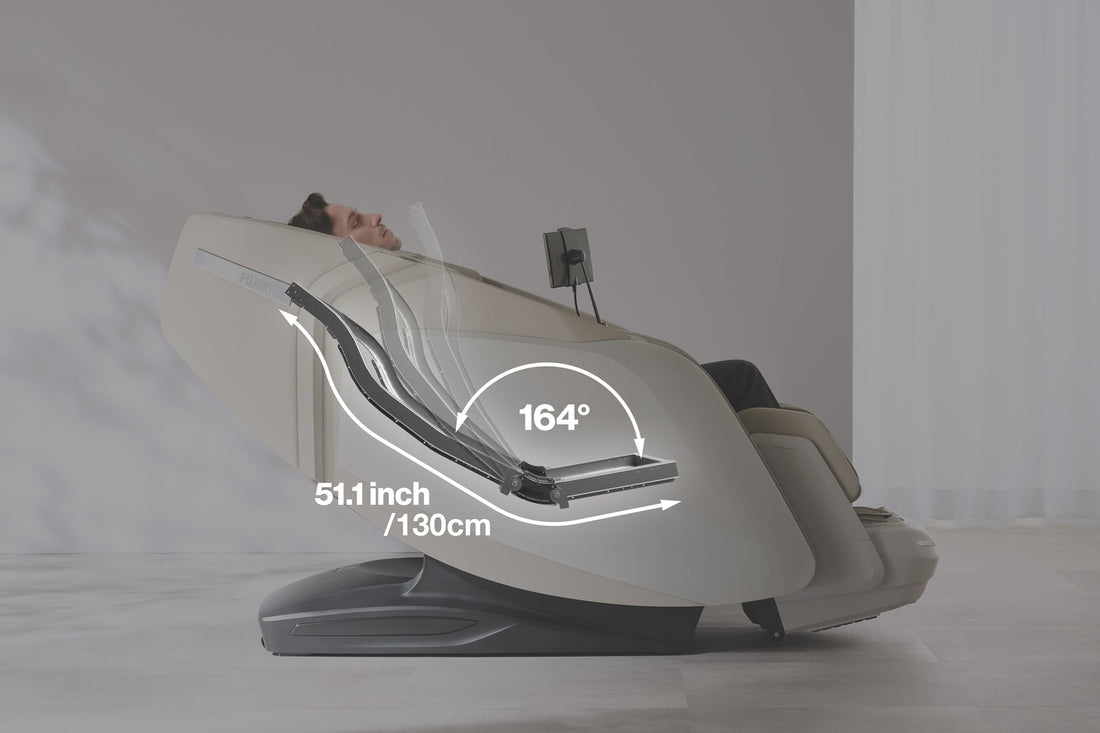
A massage chair body scan is the setup process a chair uses to estimate where your shoulders, neck, and back sit against the backrest before a massage begins. Its purpose is simple: to position the massage rollers and air cells around your body more accurately, rather than delivering the same fixed routine to every user.
Most body scans focus on height-related landmarks, especially shoulder position and the length of the back. The chair does not usually “measure” height in the way a medical device or tape measure would. Instead, it detects contact, pressure, movement, or resistance as the roller unit travels along its track, then uses that information to set a massage range.
Understanding how this feature works makes it easier to use a massage chair with body scan functions properly, recognize its limits, and make small adjustments when the massage does not land where it should.
What a Body Scan Does Before a Massage
In most massage chairs, the rollers begin near the upper back and move slowly downward, or occasionally upward, during the first moments of an automatic program. As they move, the chair attempts to identify the top of the shoulders and calculate the usable massage path along the spine.
After the scan, the chair typically sets the upper and lower boundaries for roller movement. This helps the mechanism avoid spending too much time on the neck or missing the upper back, while allowing the selected program to focus on areas such as the shoulders, mid-back, and lower back.
A body scan may also influence other settings, depending on the chair’s design. For example, it can help the system determine:
- Where a neck and shoulder massage should begin
- How far down the back the rollers should travel
- Where kneading, tapping, rolling, or shiatsu-style movements should concentrate
- How a stretch program coordinates roller motion with airbags
- Whether preset massage zones need to shift higher or lower
The result is personalization, but not perfect anatomical mapping. A body scan is designed to improve general fit for different users. It does not diagnose posture, identify muscle knots, or replace an assessment by a qualified healthcare professional.
How Massage Chairs Detect Shoulder Position
Shoulder detection is one of the most important parts of a massage chair body scan because the shoulders mark the upper limit of the main back massage area. If that reference point is wrong, the entire roller path may feel too high, too low, or poorly aligned.
Roller resistance and pressure sensing
Many chairs use the massage roller assembly itself as part of the scanning process. As the rollers travel behind the backrest, the system monitors changes in resistance, pressure, or motor load. The top of the shoulders creates a different contact pattern than the neck or the flatter upper back.
When the chair detects that change, it estimates the shoulder line and stores it as a starting point for the program. The exact sensor arrangement and software differ by manufacturer and model, so the process is not identical in every chair.
Position tracking along the massage track
The roller mechanism moves on a track with known travel positions. Once the chair identifies a likely shoulder location, it can match that location to a point on the track. From there, the control system can define a personalized vertical massage range.
For example, if the chair identifies a user’s shoulders lower than its default reference point, it can shift the routine downward. This is particularly useful in households where several people of different heights use the same chair.
Contact information from the backrest
Some massage chairs may use additional pressure or contact information from the backrest, headrest area, or shoulder sections. These inputs can support the roller scan, especially when the chair includes airbags around the shoulders or upper body.
However, the chair is still making an estimate. Thick clothing, a loose head pillow, slouching, or sitting off-center can change the contact pattern and reduce accuracy.
How the Chair Estimates Back Length and User Height
Massage chair manufacturers often describe body scanning as “height detection,” but the chair normally estimates height only as it relates to the seated back and shoulder position. It does not necessarily know a person’s standing height.
Two people with the same standing height can have different torso lengths. One may have longer legs and a shorter back, while another may have a longer torso. For massage placement, torso length matters more than overall height.
During the scan, the chair uses the shoulder reference point and the position of the lower back or seat area to estimate how much of the track should be used. The chair may then adapt the massage range to the person’s seated body shape.
| What the chair evaluates | Why it matters | What it does not reliably tell the chair |
|---|---|---|
| Shoulder height against the backrest | Sets the upper roller limit | Exact standing height |
| Distance between shoulders and lower back area | Helps define roller travel length | Detailed spinal anatomy |
| Pressure and contact changes | Supports alignment estimates | Whether a person has muscle tension or an injury |
| Seated posture during setup | Influences the current program’s fit | The user’s ideal posture in every situation |
This is why published user-height ranges for a chair should be treated as general guidance rather than a guarantee. A person near the edge of a stated range may still find the chair comfortable if their torso shape suits the roller track. Conversely, a user within the stated range may need manual adjustment if their shoulder position does not match the chair’s default scan well.
What Happens After the Scan Is Complete
Once the body scan finishes, many chairs pause briefly, make a confirmation sound, or begin the selected massage automatically. The rollers should then operate mainly below the neck and reach the upper shoulder area without pressing directly into the base of the skull.
Depending on the model, you may be able to fine-tune the detected position through the remote control, touchscreen, or companion app. Common controls include:
- Move rollers up or down
- Adjust massage spot or partial-zone position
- Select neck, shoulder, upper-back, lower-back, or full-back focus
- Change roller width where supported
- Save preferences in a user profile on some chairs
Manual shoulder adjustment is not a sign that the scan has failed. It is a normal feature that lets users account for individual comfort preferences. Some people prefer rollers slightly below the shoulder ridge, while others want more direct work across the upper trapezius area.
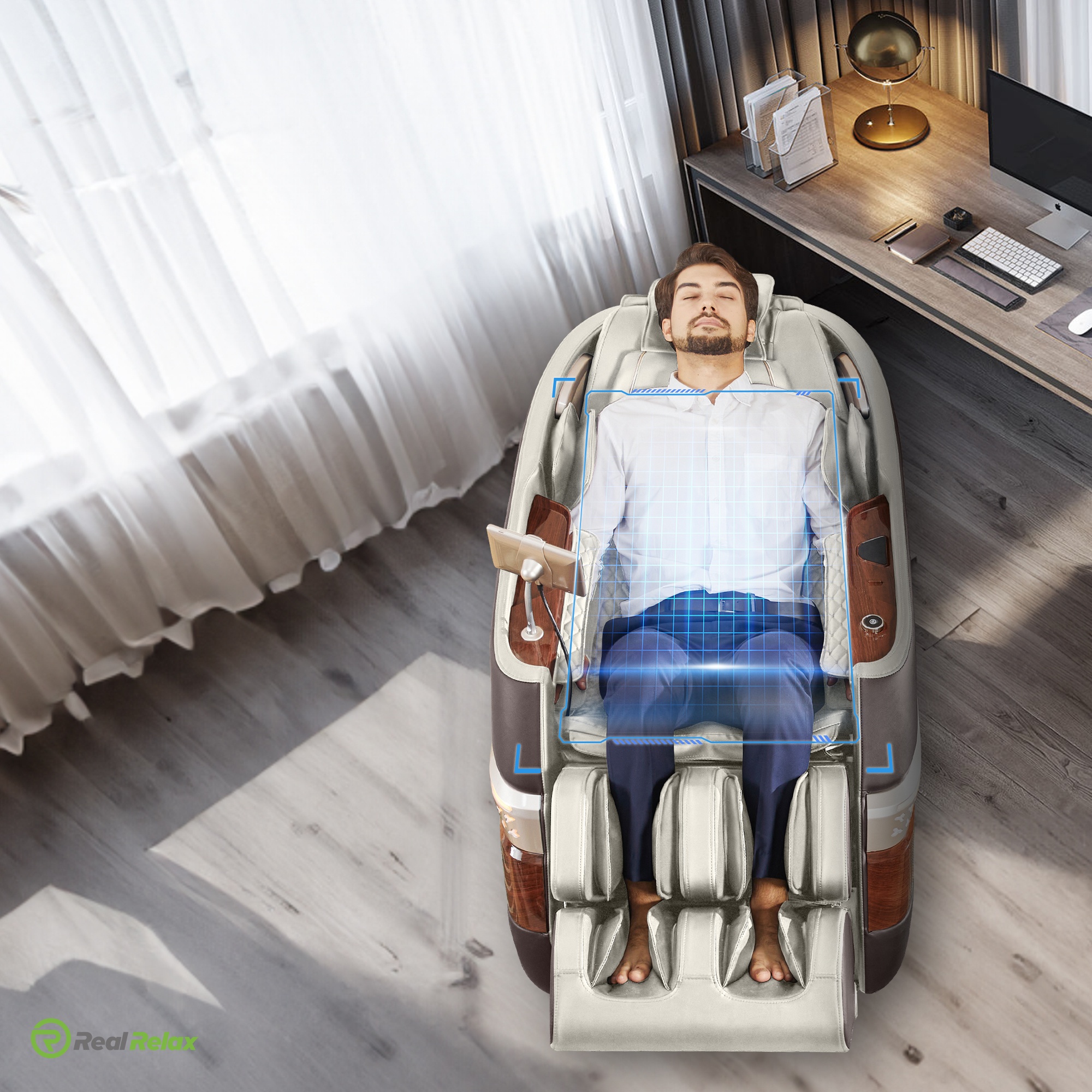
Credit: bodyscanmassagechair.com
Why Accurate Positioning Matters
A well-aligned massage feels more controlled because the rollers follow the intended regions of the back. When the shoulder setting is correct, the chair can better distribute movements across the upper back rather than repeatedly pressing too high into the neck or stopping too low below the shoulders.
Accurate placement also matters for comfort during techniques such as kneading, tapping, rolling, and stretch routines. These programs use repeated movement patterns. If the starting position is noticeably wrong, even a gentle setting can feel awkward or unpleasant.
Body scanning is especially helpful for chairs shared by multiple users. Without it, a chair may rely on a fixed roller range that favors one body size. A scan allows each session to begin with a new estimate, reducing the need to reset the chair manually every time someone else uses it.
Factors That Can Affect Body Scan Accuracy
A massage chair body scan works best when your body is in stable, consistent contact with the chair. Small setup details can affect what the system detects.
Sitting position
Sit fully back in the seat with your hips near the rear of the cushion. Rest your back naturally against the backrest and keep your shoulders reasonably level. Leaning forward, twisting, or sitting on one side can make the shoulder line appear uneven.
Do not try to hold an exaggeratedly upright posture during the scan. The chair should scan the position you will actually use while receiving the massage. A relaxed, centered position is usually the most useful starting point.
Head pillows and removable padding
Many chairs include a head pillow or padded neck cushion. While these can improve comfort, overly thick or misplaced padding may change how your upper back and neck contact the chair. If the rollers consistently feel too high or cannot reach the shoulder area comfortably, check whether the pillow can be raised, lowered, folded back, or removed according to the manufacturer’s instructions.
Do not modify the chair with extra cushions behind your back unless the manufacturer permits it. Added padding can interfere with alignment and may make the massage feel less predictable.
Clothing and objects in pockets
Normal clothing is unlikely to cause major problems, but bulky layers can reduce contact between the body and the backrest. Remove thick jackets, large hooded garments, and items such as wallets or phones from back pockets before using the chair.
Besides affecting scan accuracy, objects in pockets can create uncomfortable pressure and may damage the upholstery or internal components.
Chair placement and recline position
The chair should sit on a stable, level surface. If it is uneven or unable to recline properly because it is too close to a wall or other furniture, the body position may differ from the design assumptions of the program.
Some chairs scan in an upright position before reclining, while others scan after the recline begins. Follow the chair’s instructions and allow it to complete its movement before trying to adjust your body.
How to Get a Better Body Scan
Most alignment problems can be improved without any repair. Use this sequence before assuming that the chair’s scan feature is inaccurate.
- Start from a neutral chair position. Let the chair return to its normal starting position if the manual recommends it.
- Remove bulky items. Take off heavy outerwear and empty back pockets.
- Set the head pillow correctly. Position it as directed, especially if it covers part of the upper back.
- Sit all the way back. Place your hips against the back of the seat and center your spine in the chair.
- Keep both shoulders against the backrest. Avoid leaning to one side or lifting a shoulder while the rollers scan.
- Wait for the scan to finish. Avoid shifting position until the chair begins the massage program.
- Use manual adjustment if needed. Move the roller position in small increments until it feels comfortable.
If the chair allows a custom massage mode, save a comfortable shoulder position or massage zone after you have adjusted it. That may be more convenient than relying solely on automatic detection for every session.

Credit: en.naipo.de
When the Rollers Feel Too High or Too Low
The most common sign of a poor scan is roller placement that does not match the intended area. Rollers that press into the neck, approach the base of the skull, or miss the upper shoulder area are likely set too high. Rollers that stop well below the shoulders or focus only on the mid-back may be set too low.
If the rollers are too high
- Use the remote or control panel to move the massage position downward.
- Check whether a thick head pillow is pushing your upper body forward.
- Restart the program while sitting farther back and keeping your shoulders relaxed.
- Select an upper-back or shoulder-focused mode if the chair offers zone control.
If the rollers are too low
- Move the roller position upward using the manual controls.
- Make sure your hips are fully back in the seat rather than sliding forward.
- Confirm that the chair has completed its body scan before the main massage begins.
- Check the manufacturer’s recommended user-height range and body-fit guidance for the model.
If the chair repeatedly scans incorrectly despite correct seating and manual resets, consult the owner’s manual for troubleshooting steps. A persistent issue could relate to settings, an obstructed roller track, a control fault, or another service concern. Avoid disassembling the chair or attempting to access moving internal parts yourself.
Body Scan Features Compared With Manual Adjustment
Automatic scanning and manual adjustment serve different purposes. The scan provides a fast starting point; manual controls provide personal refinement. The best experience often comes from using both.
| Feature | Main advantage | Potential limitation |
|---|---|---|
| Automatic body scan | Adapts the initial roller range for different users | Depends on seated posture and contact with the backrest |
| Manual roller adjustment | Lets the user target a preferred position precisely | Requires user input and may need repeating between sessions |
| Memory or user profiles | Can speed up setup for regular users | Availability and saved settings vary by model |
| Fixed massage range | Simple operation | May fit only a narrower range of body shapes comfortably |
When choosing a massage chair with body scan technology, look beyond the phrase itself. Consider whether the chair also provides shoulder-position controls, spot massage, adjustable roller width, multiple massage zones, and a roller track that suits your torso length. A scan is useful, but the ability to correct and personalize its result matters just as much.
What a Body Scan Cannot Do
Marketing language can make a body scan sound more advanced than it is. It is a comfort and positioning feature, not a medical evaluation tool.
A chair’s scan cannot reliably identify the cause of neck pain, back pain, numbness, weakness, or reduced mobility. It cannot diagnose scoliosis, disc problems, nerve conditions, muscle injury, or other health issues. It also cannot determine whether a particular massage setting is appropriate for your medical situation.
People who are pregnant, have an implanted medical device, take blood-thinning medication, have a recent injury or surgery, experience unexplained pain, or have a condition that affects sensation should seek appropriate medical guidance before using a massage chair. Stop using the chair if a massage causes pain, dizziness, numbness, or other concerning symptoms.
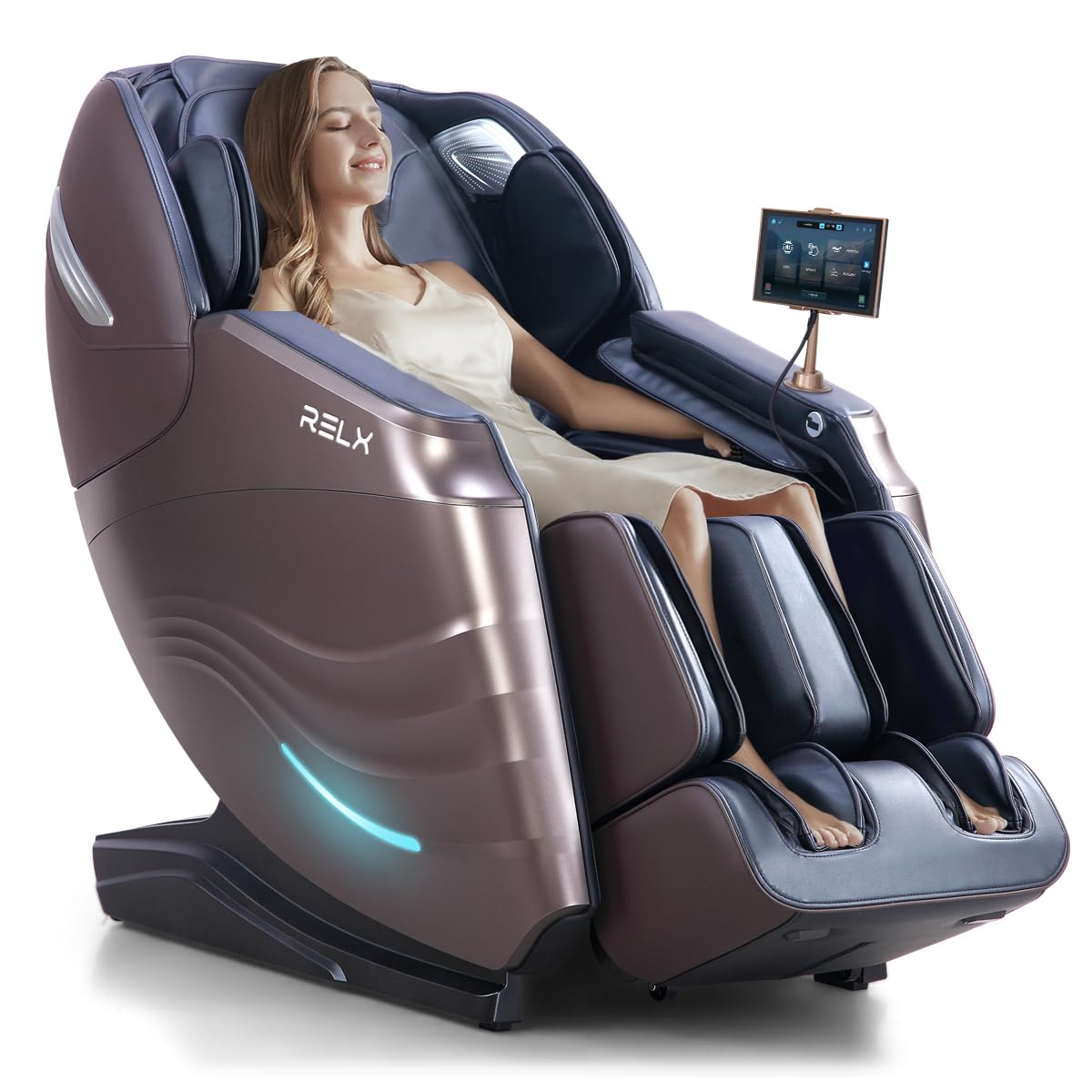
Credit: amazon.com
FAQ
Does a massage chair body scan work every time?
No. It usually provides a useful starting position, but results can vary with posture, clothing, cushion placement, and the chair’s sensor design. Manual roller adjustment remains important for fine-tuning comfort.
Can two people of the same height get different scan results?
Yes. Seated shoulder height and torso length can differ even when two people have the same standing height. The chair responds mainly to how each person contacts the backrest.
Should I rerun the scan before every massage session?
It is generally helpful when a different person uses the chair or when your seating position has changed. If the chair stores a comfortable custom position, you may be able to use that setting instead when appropriate.
Will a body scan adjust the footrest to my leg length?
Not necessarily. Some massage chairs have a separate extending or spring-loaded footrest designed to accommodate different leg lengths. That function is distinct from the back and shoulder scan, though both improve overall fit.
Is a body scan necessary in a massage chair?
It is not essential, but it can make automatic programs more convenient for households with multiple users or people who want less manual setup. A chair without scanning can still be comfortable if its roller range, fit, and adjustment controls suit the user.